
Your PDFs, finally easy to edit.
EncriaPDF works in English, French, Spanish and German. Fix a line of text, sign, merge pages, protect a document or export to Word and Excel, without your documents ever leaving your computer.
- Windows 10 and 11
- No credit card
- No account to create
In your languageEnglish, French, Spanish and German
Your documents stay with youNo uploads, no account, no telemetry
14-day full trialAll features, no credit card
No automatic renewalYou decide at the end of each period
Everyday tasks, no detours
The tools you actually look for, grouped by what you want to do.
Fix the text of a PDF
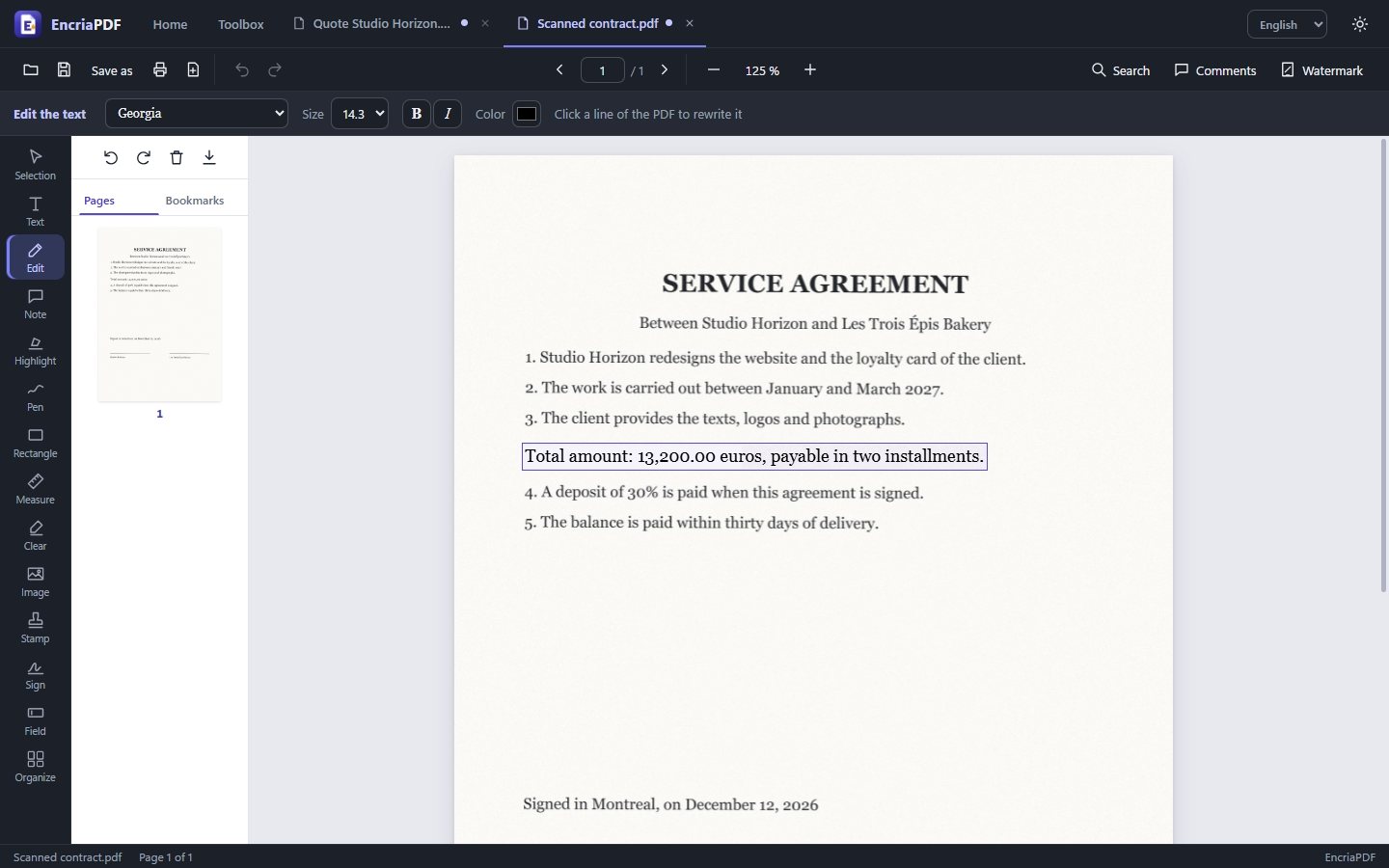
Click a line and rewrite it: the original font, size, color and bold are kept. It also works on scanned documents.
Sign in a minute
Draw your signature, simply type your name or import an image. For more weight, sign with a digital certificate.
Merge and organize
Merge several PDFs, reorder, rotate, delete or extract pages by dragging them. Undo with Ctrl+Z.
Make a scan readable
Text recognition (OCR) makes your scans searchable, copyable and editable. It runs on your computer.
Protect and shrink
Password and permissions with AES-256 encryption. Compression that lightens images and keeps text perfect, ready to send by email.
Convert both ways
PDF to Word, Excel, PowerPoint, images or text. Word, Excel and PowerPoint to PDF, with Microsoft Office or LibreOffice.
- Highlight, annotate, draw, measure
- Fill in and create forms
- Watermark, page numbers, headers and footers
- Really hide confidential text
- Compare two versions of a document
- Search that ignores accents
- Several documents in tabs
- Printing with preview, double-sided, chosen pages
- Stamps: Approved, Paid, Confidential, or your own
- Light or dark theme
- Add-in for Word, Excel, PowerPoint and Outlook
- Opens password-protected PDFs
Fix it, sign it, done.
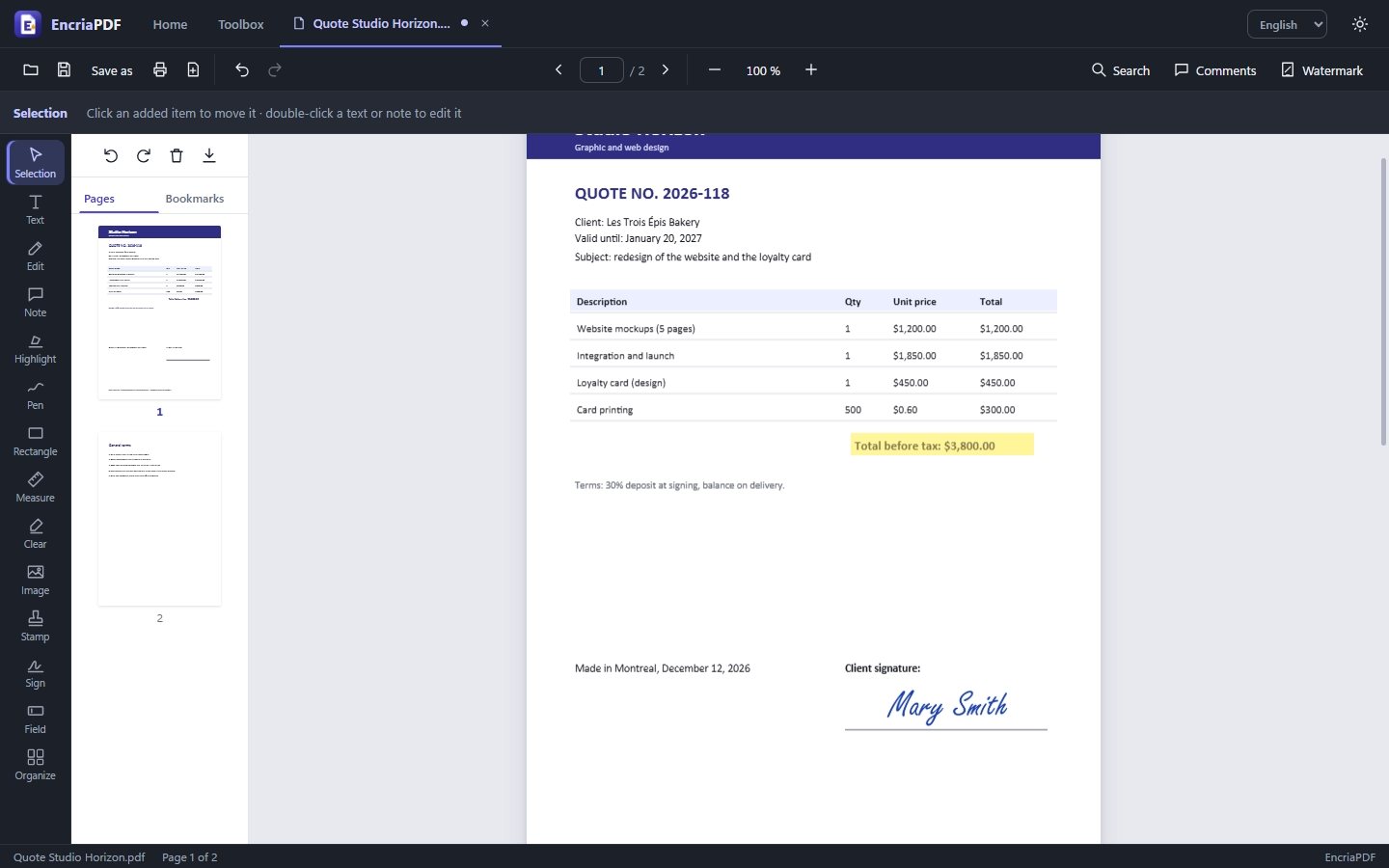
A typo in a quote, a date to change, a signature to add: click the text and type. EncriaPDF keeps the formatting of the document, line by line.
- Edited text keeps the original font and color
- The bold and italic of each part of a line are respected
- Works even on a scanned contract
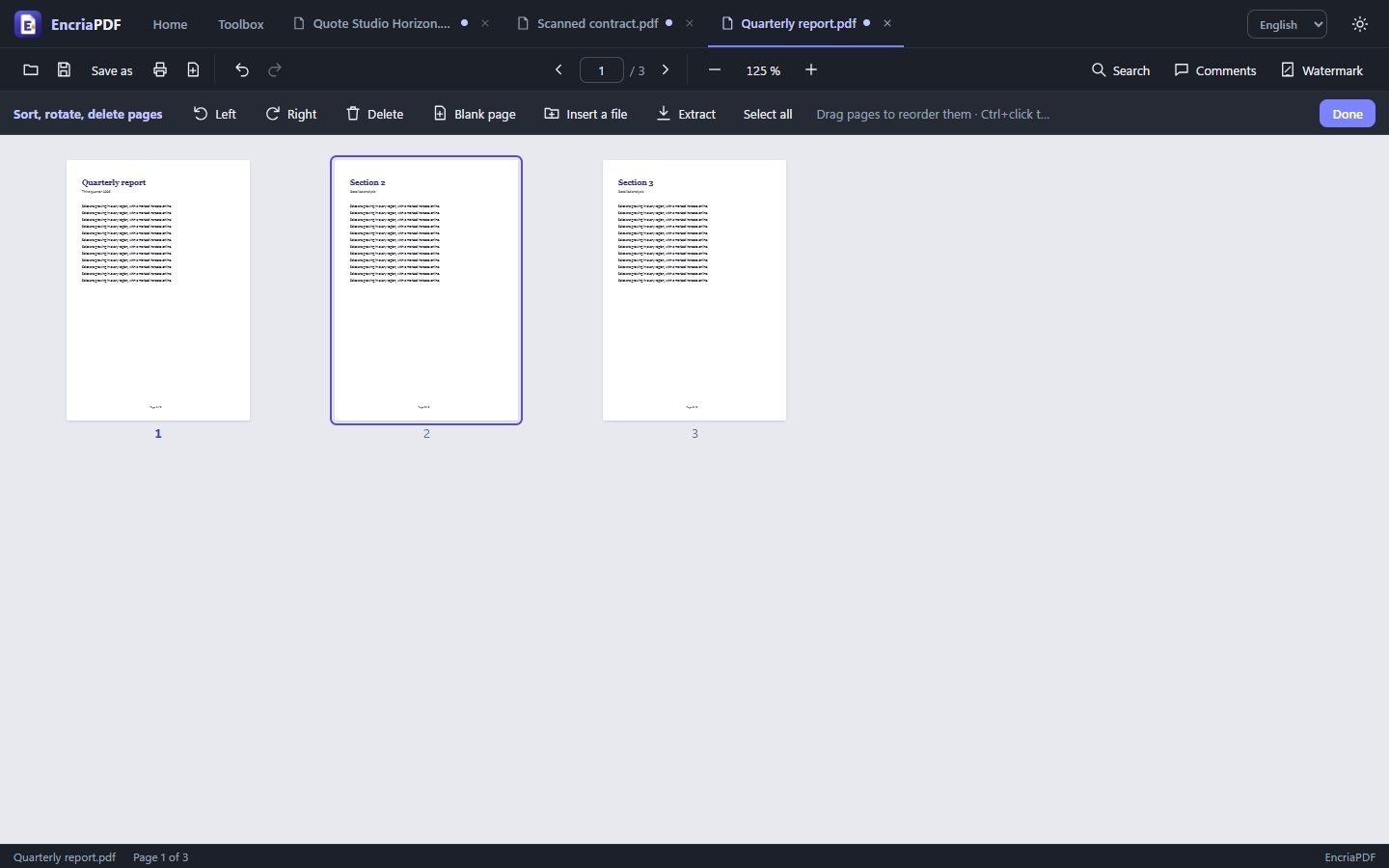
Your pages, in the order you want.
A grid of thumbnails: drag to reorder, rotate, delete, insert a blank page or another PDF. Extract the selection into a new file.
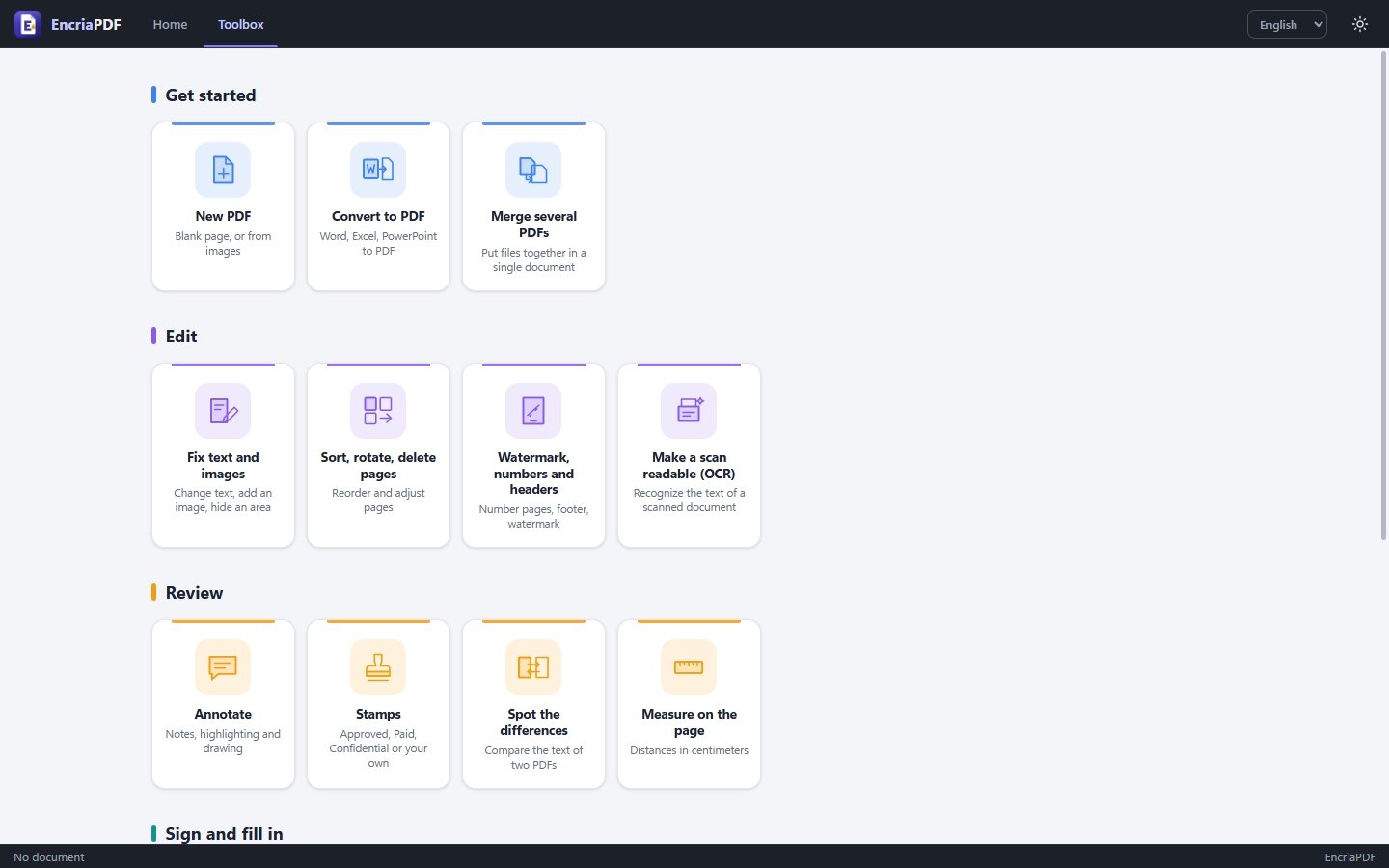
All the tools, in one place.
The Toolbox groups the tools by what you want to do: get started, edit, review, sign, protect and share. No hidden menus, no jargon.
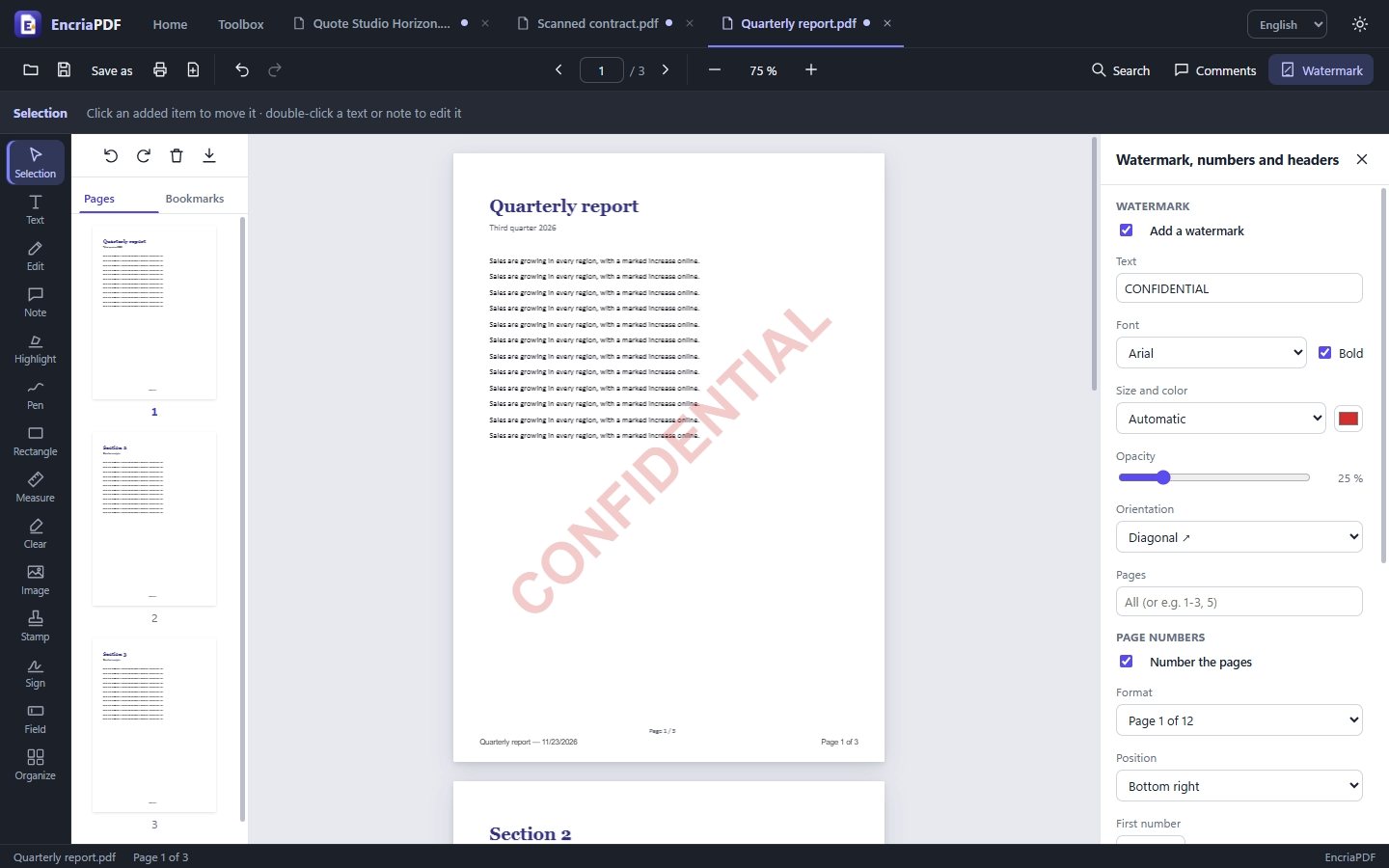
Watermark, numbers, headers.
Add “CONFIDENTIAL”, number the pages or create a footer with the file name and the date. The preview is instant, and you can remove everything afterwards.
How to get your license
Try it for 14 days first. If you like it, three steps are enough.
- Install and tryAll features are open for 14 days, with no account and no credit card.
- Send your computer's codeIn the License window, one click on “Send by email” prepares the message for you.
- Open your license fileWe send it back quickly. A double-click activates it: you are set for a year.
An annual license, a clear price
All features in every plan. You pay according to the number of computers.
Solo
To work alone, on one computer.
$27 / year
1 computer
- All features
- Free computer replacement
- Updates included
- Email support
Trio
Office, home and laptop: three computers.
$62 / year
3 computers · $21 per computer
- All features
- Free computer replacement
- Updates included
- Email support
Team
A small business or a practice.
$174 / year
10 computers · $17 per computer
- One license for everyone
- Extra computers added pro rata
- A single renewal date
- Invoice for your accounting
Business
From 11 computers, or batch deployment.
$13 / computer / year
Custom quote
- Batch deployment, without waiting for every code
- List of named computers
- Purchase order and invoice
- Reseller rate for technicians
Prices in Canadian dollars (CAD), per 12-month period, before taxes. Money-back guarantee for 30 days. No automatic renewal.
Before you start
Which computers does EncriaPDF run on?
On Windows 10 and Windows 11 (64-bit). There is no Mac or Linux version yet.
Which languages does EncriaPDF come in?
The interface is available in English, French, Spanish and German. It follows the language of Windows at first launch, and a selector at the top right lets you change it at any time, without closing your documents. Watermarks, stamps and page numbers are written in the chosen language. Text recognition (OCR) depends on the languages installed in Windows.
Are my documents sent anywhere?
No. EncriaPDF works entirely on your computer: no account, no document uploads, no usage statistics. Text recognition uses the Windows engine, on your machine.
What happens at the end of the 14-day trial?
EncriaPDF switches to read-only mode: you can still open, read, search and print your PDFs. Editing, saving and exporting resume as soon as you activate a license. You lose nothing.
How does buying work, concretely?
Each license is tied to the code of your computers. You install EncriaPDF, send us the code of each computer in one click (“Send by email”), and we send you back a license file to open. You normally receive it within one business day.
Does the license renew by itself?
Never. No recurring charge: we warn you before the end, and you decide. After the end, a 14-day grace period gives you time to renew, then EncriaPDF switches to read-only mode.
What if my computer breaks or I change computers?
Write to us with the code of the new computer: we replace the old one in your license, free of charge, for the whole duration of the license.
Does EncriaPDF open every PDF?
It opens ordinary PDFs, including password-protected ones. Some publishers' documents, such as licensed standards, depend on a specific reader to show their content: EncriaPDF tells you clearly and offers to open them with another reader you have installed.
Do I need Microsoft Office?
No, except to convert a Word, Excel or PowerPoint document to PDF: that requires Microsoft Office or LibreOffice (free). Exporting a PDF to Word, Excel or PowerPoint works without Office.
Are updates included?
Yes, for the whole duration of your license. New versions are published on the download page.
I am a business: how do I deploy on several computers?
See the Business page: batch deployment, silent installation, a list of named computers and a common renewal date.